
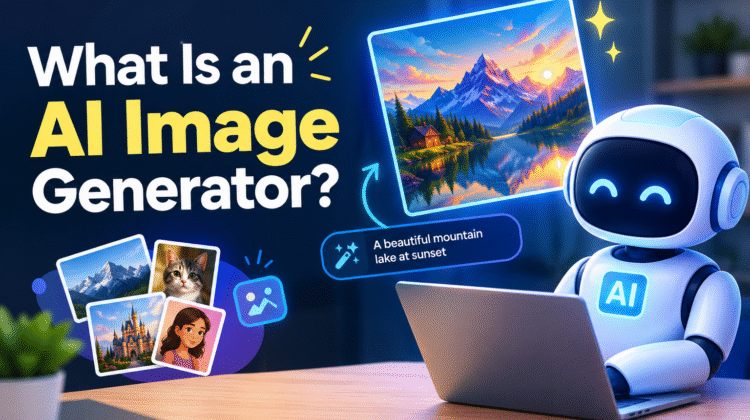
An AI image generator creates pictures from user-provided instructions. Those instructions can describe a subject, scene, style, or desired change. NIST classifies image creation as one application of generative AI.
The process differs from ordinary photo editing. Traditional tools usually require users to adjust existing pixels themselves. AI systems can instead create new visual elements from a written request. Some tools can also modify an uploaded image.
What Is an AI Image Generator?
An AI image generator produces visual content from a user’s input. Text is a common input, but some tools also accept reference images. The exact features depend on the model and platform.
How AI Image Generators Differ From Traditional Image Tools
Traditional image software gives users direct control over individual edits. AI generation adds another option: describe the desired result and let the model produce it.
For example, current image tools can create images from plain-language descriptions. They can also make targeted changes to an existing image. OpenAI documents both generation and iterative editing in its image-generation guidance.
What Can an AI Image Generator Create?
The possible output depends on the tool and its model. Current image-generation systems can handle several types of visual work, including:
- Photographic-style scenes
- Digital illustrations
- Creative artwork
- Marketing graphics
- Product concepts
- Image variations
Some platforms also provide controls for composition, lighting, aspect ratio, and style. Adobe Firefly, for example, provides settings for these elements when generating images.
How Does an AI Image Generator Work?
The process begins when the user gives the system an instruction. The model interprets that input and produces an image that matches the requested details as closely as possible.
Different models use different technical methods. Diffusion models are one important approach used for image generation. NIST describes them as generative models built around forward and reverse processes.
Step 1: The Model Interprets Your Prompt
Your prompt gives the model information about the intended image. A useful prompt can identify the subject, setting, action, and visual direction.
You can include details such as:
- Main subject
- Environment
- Activity
- Image style
- Lighting
- Camera view
- Composition
- Important restrictions
OpenAI’s current guidance recommends describing the purpose, subject, action, setting, and visual style. It also recommends stating important constraints clearly.
Step 2: The AI Processes the Request
The model converts the request into information it can use during generation. With diffusion-based systems, generation involves a learned process that moves toward an image matching the requested distribution.
You do not need to understand the mathematics to use these tools. The important point is that the model uses learned patterns to construct the requested visual result.
Step 3: The System Creates the Image
After processing the request, the generator produces an image. The result reflects the instructions given by the user and the capabilities of the selected model.
Different models can interpret the same prompt differently. Their output quality, controls, and supported features may also vary.
Step 4: The User Refines the Result
Image generation often works through several rounds. You can review the first result and identify what needs changing.
For example, you might ask for a wider composition or simpler background. OpenAI recommends making small, specific changes rather than rewriting everything each time.
What Are the Main Types of AI Image Generation?
AI image tools can support several generation and editing methods. These methods are not available in the same form across every platform.
Text-to-Image Generation
Text-to-image systems use written descriptions as the main input. The user explains the desired visual, and the model generates an image from that description.
Current tools demonstrate this workflow directly. Adobe Firefly, for example, accepts text prompts and produces image variations.
Image-to-Image Generation and Editing
Some systems can work from an existing image. The image provides visual information that can guide the requested changes.
This can help when the user wants to preserve parts of the original composition. OpenAI’s current image-generation guidance also supports editing and refining existing visual assets.
Generative Fill and Image Expansion
Generative Fill adds or removes visual content within an image. Generative expansion works differently by extending the image beyond its original frame.
Adobe documents both functions in Firefly. Its Generative Expand feature can extend an image’s canvas and generate content for the added space.
What Makes an AI Image Generator Useful?
AI image generators can shorten the path between an idea and a visual draft. Users can describe an idea, inspect the result, and request changes without rebuilding the image manually.
Faster Visual Ideation
A written concept can become a visual draft through a prompt. This makes it easier to explore several creative directions before settling on one.
OpenAI describes image generation as useful for exploring concepts and communicating ideas visually.
Creating Multiple Visual Directions
One idea can be tested through different styles and compositions. Users can also request variations instead of starting over.
OpenAI documents workflows involving variations, different crops, sizes, and visual directions.
Supporting Different Creative Workflows
The same technology can support creation and editing. Depending on the platform, users may work with generated images, uploaded images, reference images, or targeted edits.
Adobe currently documents generation, variation, generative fill, and image expansion within its Firefly tools.
How to Write Better AI Image Prompts
A useful prompt gives the model clear direction. It does not have to be extremely long. OpenAI currently recommends focusing on the details that matter most to the intended result.
Start With the Subject and Purpose
Begin with the main thing you want to show. Add the purpose when it affects the image’s design.
For example, a product image for an online store needs different framing than an editorial illustration.
Add Setting, Composition, and Visual Style
Describe the environment around the subject. You can also explain the desired framing, lighting, colors, and style.
Specific details can reduce uncertainty. OpenAI recommends adding these details when they matter to the final image.
Use Iteration Instead of One Perfect Prompt
Do not expect every first attempt to be final. Review the output and choose one or two changes.
Simple feedback can be enough. OpenAI recommends targeted revisions to improve an image while keeping important elements consistent.
What Are the Limitations of AI Image Generators?
AI image generation is not a fully automatic replacement for visual judgment. The model may interpret an instruction differently than the user intended.
The output also depends on the chosen model and its capabilities. A feature available in one generator may not exist in another.
Generated Images Can Contain Errors
Users should inspect important images before publishing them. This is especially relevant when the image contains specific details, text, products, or people.
Review can also help identify unwanted objects or changes. Current image-generation guidance recommends checking results and making targeted corrections.
AI-Generated Content Raises Authenticity Concerns
Synthetic images can make it harder to understand how visual content was created. This has made provenance and authenticity important areas of AI research.
NIST’s work on synthetic content includes efforts related to identifying and evaluating generated media.
Outputs Can Reflect Model Limitations and Biases
Generative AI systems can have risks beyond simple image quality. NIST’s responsible-AI work focuses on identifying and managing risks across generative AI systems.
This is why generated content should be reviewed in context. A visually convincing result is not automatically suitable for every purpose.
Are AI-Generated Images Reliable for Every Use?
An AI-generated image should not be treated as automatically correct. Its suitability depends on the intended use and the quality of the generated result.
Images used for important communication deserve closer review. Users should also understand the provider’s rules before publishing or selling generated work.
When Human Review Is Important
Human review can catch details the generator handled poorly. It can also check whether the image matches the intended message.
This matters for branded assets, factual illustrations, product visuals, and sensitive subjects.
Check the Tool’s Terms and Output Rules
Each provider can set its own conditions for using generated content. Those conditions may cover commercial use, uploaded material, attribution, or other restrictions.
Read the current terms for the specific service you use. Do not assume that one platform’s rules apply to another.
Consider Authenticity and Disclosure Requirements
Requirements for synthetic media can differ by platform and situation. Some organizations may also have their own disclosure policies.
For that reason, check the rules that apply to your intended use before publication.
How to Choose an AI Image Generator
Start with the type of visual work you need. Then compare the features that directly support that workflow.
Look at Generation and Editing Capabilities
Check whether the tool provides the functions you need:
- Text-to-image creation
- Image editing
- Generative fill
- Image expansion
- Image variations
- Reference-image support
Adobe’s current Firefly documentation shows how these features can work together.
Check Output Controls and Workflow
Look for useful controls around image size, aspect ratio, composition, and style. These settings can matter more than the number of extra features.
For example, Firefly provides aspect-ratio options and controls for composition, style, lighting, and camera angle.
Review Privacy, Licensing, and Usage Policies
Read the provider’s rules before uploading private or sensitive material. Also check the conditions for commercial use.
These policies can change over time. Always use the current terms supplied by the provider.
AI Image Generator vs. Traditional Image Creation
AI generation adds a prompt-driven method to visual creation. Traditional design still offers direct control over individual elements.
What AI Generation Changes
The starting point can be a simple written idea. The user can then guide the image through several rounds of feedback.
This approach is useful for exploring concepts and testing different visual directions.
Where Traditional Design Still Matters
Some projects need precise control over every element. Brand systems, detailed layouts, and final production work may still need conventional design tools.
AI generation and traditional design can also be used together. One can create an early concept while the other handles final adjustments.
What Is the Future of AI Image Generation?
Image generation is increasingly connected with broader creative tools. Generation, editing, expansion, and variations can now appear within the same workflow.
From Generation to Broader Creative Workflows
Modern tools can do more than create a new image. Adobe Firefly, for example, supports image generation alongside generative fill, expansion, editing, and variations.
This means users can move between creation and editing. They can also use reference images to guide composition or style.
Why Evaluation and Responsible Use Matter
As generated images become easier to create, evaluation remains important. Users need to consider quality, authenticity, and appropriate use.
NIST continues to develop terminology and guidance around trustworthy AI. Its work helps provide a common framework for discussing these systems.
Final Verdict
An AI image generator creates new visuals from instructions and other supported inputs. Text prompts are a common starting point for this process. Modern systems can also work with reference images and existing visual assets. Their exact capabilities depend on the model and platform.
The workflow usually begins with a description of the desired image. The model processes those details and produces a visual result. Users can then review the output and request specific changes. This makes image creation more iterative than a single prompt.
AI image generators can support design, marketing, editing, and creative work. They still need human review when accuracy matters. Users should also check privacy and usage terms before publication. Choosing a tool should depend on the features needed for the job.
Frequently Asked Questions
What Is an AI Image Generator?
An AI image generator is a system that creates visual content from user input. Text prompts are a common method, though some tools also accept images and other guidance. Generative AI can produce synthetic images and other digital content.
How Does an AI Image Generator Create Images?
The process starts with information supplied by the user. The model processes that information and generates a visual result. Some systems then allow users to revise or edit the output.
The exact technical process depends on the model. Diffusion is one established approach used for image generation.
Can AI Image Generators Create Images From Text?
Yes. Text-to-image generation is a common feature among current AI image tools. Users describe the desired image, and the system creates an image from that description. Adobe and OpenAI both document text-based image generation.
Can an AI Image Generator Edit an Existing Image?
Yes, some AI image generators can edit existing images. Depending on the platform, users may add elements, remove objects, expand the canvas, or make other changes. Adobe documents Generative Fill and Generative Expand for these tasks.
Are AI-Generated Images Always Accurate?
No. An AI-generated image can contain unwanted details or fail to match the request. Users should review important images before using them. Iterative editing can help correct problems in the result.