
The stock mistake a pharmacy can't afford is different from any other shop's
Generic POS software handles checkout. It doesn't handle what actually goes wrong in a restaurant — an order that never reached the kitchen, a table mix-up during a rush, or a menu item priced differently depending on dine-in versus delivery. We build restaurant and cafe management systems around your real service flow, not a retail template with a "food" label on it.
Built around expiry and batch tracking, not bolted on
Fixed-price project scoping
In-house development team in Peshawar
Integrates with your existing supplier and accounting records
Why Restaurants Need Something Different From Retail POS
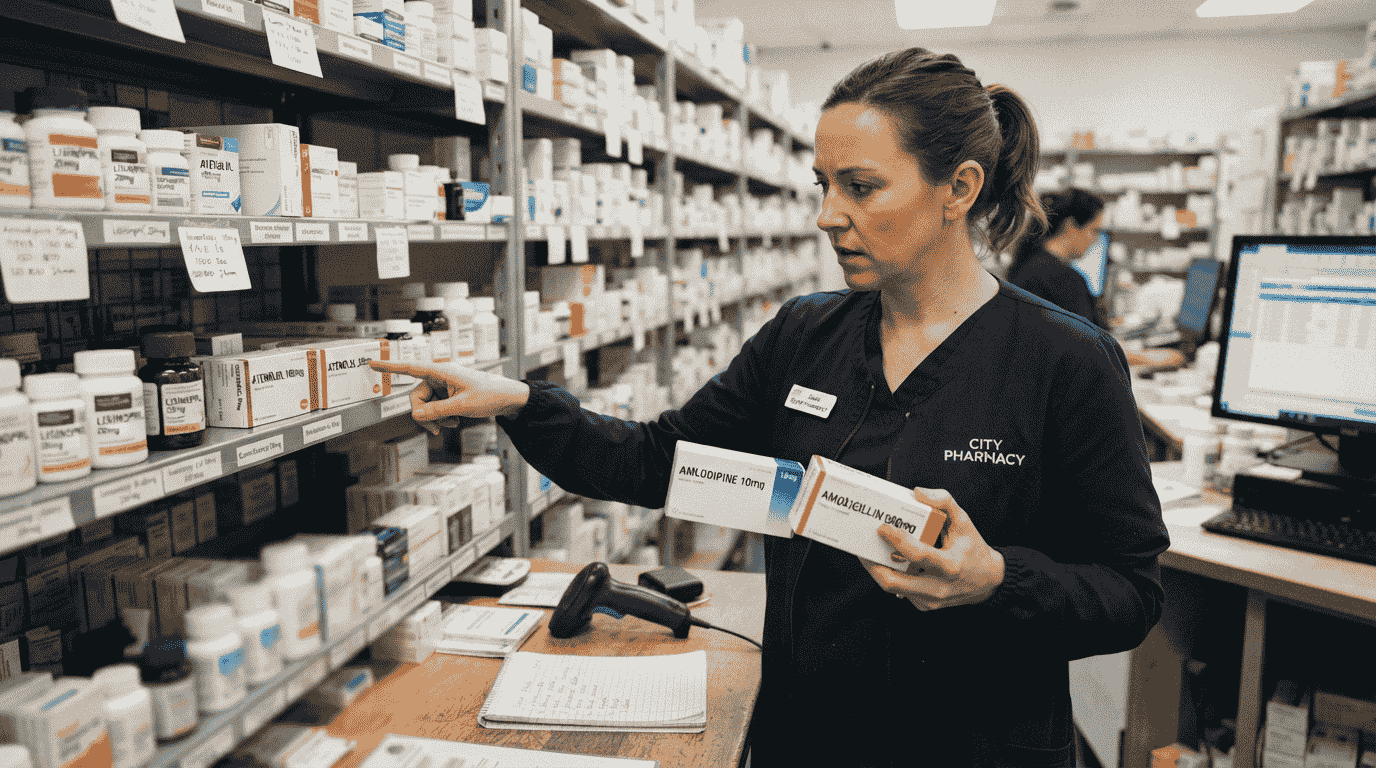
Most POS software sold in Pakistan is built for general retail — clothing, electronics, groceries — where the worst-case stock mistake is running short on a popular item. A pharmacy’s worst-case mistake is different in kind, not just degree: selling from an expired batch, running out of a medicine a regular patient depends on, or having no clear record of which batch a specific sale came from if a supplier issue or recall comes up later.
That’s why pharmacy software needs batch and expiry tracking as a core function, not a checkbox feature — and why a general retail POS system with a “medical store” label slapped on it usually falls short the moment your inventory gets complex.
What this looks like in practice:
- Expiry dates tracked per batch, with automatic alerts before stock expires — not discovered when a customer points it out
- Full traceability from supplier batch to individual sale, so any quality or recall issue can be traced quickly
- Reorder alerts that account for real supplier lead times, so critical medicines don’t run out
- Records structured clearly enough to support the recordkeeping many pharmacies are expected to maintain

What We Build
Pharmacy Management Features Built Around Medicine, Not General Retail
1. Batch & Expiry Tracking
Every batch tracked with its expiry date, with automatic alerts as expiry approaches — so near-expired stock gets flagged and sold or returned before it becomes a write-off or a risk.
2. Prescription & Sales Record-Keeping
Structured recordkeeping for prescription-linked sales, so you have a clear, searchable history rather than paper slips or informal notes.
3. Supplier & Purchase Ledger Management
Track what's been ordered, received, and paid for per supplier — with batch numbers carried through from purchase to sale for full traceability.
4. Low-Stock & Reorder Alerts
Automatic alerts when stock for a specific medicine drops below a threshold you set, configured around your real supplier lead times so critical items don't run out.
5. Multi-Branch Stock Visibility
If you run more than one pharmacy location, see stock, expiry status, and sales across all branches from a single dashboard.
6. Integration with Accounting or POS Systems
If you already have accounting software or a POS system, pharmacy-specific tracking can connect to it rather than running as a disconnected system.
Built for These Businesses
Independent pharmacies
currently tracking expiry and batches manually or not tracking them systematically at all
Multi-branch pharmacy chains
needing centralized stock and expiry visibility
Medical stores
selling a mix of prescription and over-the-counter items
Pharmacies working with multiple suppliers
who need clear batch-to-sale traceability
Any pharmacy currently relying on a general retail POS
that wasn't built with expiry tracking in mind
How We Work
From First Call to a Working System
1. Discovery Call
From First Call to a Working System
2. Scoping & Fixed Pricing
We learn your actual stock structure — supplier relationships, typical batch sizes, how you currently track expiry (if at all).
3. Build & Test
— Built and tested against your real product categories and batch structure.
4. Staff Training & Handover
— Your pharmacy staff trained on the system before golive.
5. Post-Launch Support
A defined support window after launch, with optional ongoing maintenance.
Our Technology Stack
Built With Modern, Maintainable Technology
- Frontend: React.js, Next.js
- Backend: Node.js, Laravel, Django (Python)
- Databases: MySQL, PostgreSQL — built for accurate batch, expiry, and transaction records
- Barcode/hardware support: Standard USB/Bluetooth barcode scanners, receipt printers
- Deployment: Cloud-hosted or on-premise, depending on your connectivity needs

Frequently Asked Questions About the Python Course in Peshawar
Everything students from across KPK ask before joining MindGigs’ Python program.
A: General retail POS software is built around checkout speed and basic stock counts. This is built around batch-level expiry tracking, supplier traceability, and prescription recordkeeping — the specific risks and requirements of running a pharmacy, not a general shop.
A: Yes — expiry alerts based on batch date are a core feature, not an add-on, so near-expired stock gets flagged with enough lead time to sell through or return it.
A: Yes, we typically build pharmacy systems to integrate with your existing accounting or POS software rather than replacing everything you already have in place.
A: Yes, the system can be built to give centralized visibility into stock, expiry status, and sales across multiple branches from a single dashboard.
A: It depends on scope — a single-location system is smaller than a multi-branch system with full supplier and batch traceability. We provide a fixed, itemized quote after a discovery call.